 Fitness Pace
Start on
Home.
Workouts, food, movement, and progress meet here. Workouts, PACE, Progress, and Community are one tap away.
Currently in Android testing.
Train together. Grow together.
A closer lookFive tabs.
One training day.
Home holds your workout cards, food diary, and movement. Workouts, PACE, Progress, and Community take you the rest of the way.
Find your starting pointYour day, connected.
A real look at the app. Choose a screen, or play the tour and let it walk the five tabs.
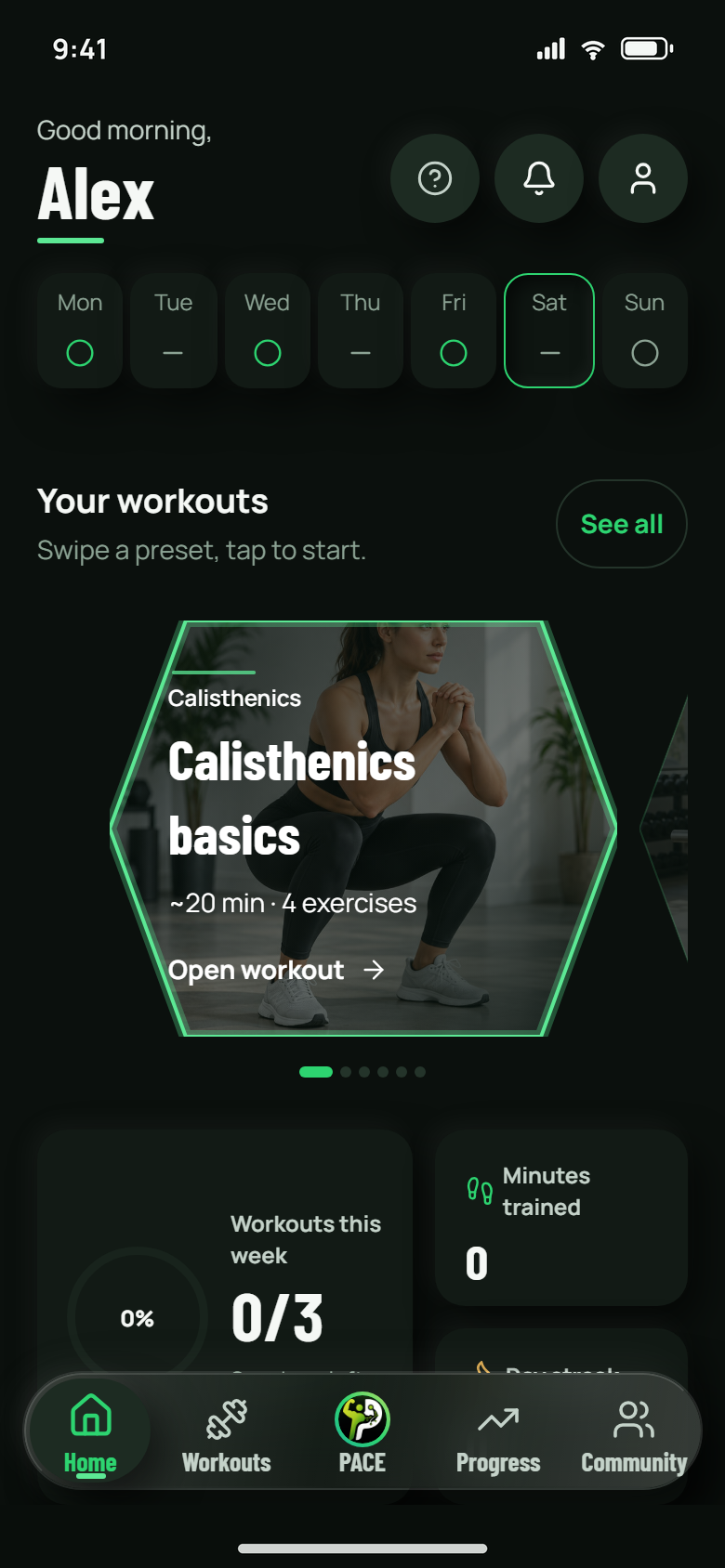
Home / Your daily starting point
A little direction.
A lot of possibility.
See your day at a glance, return to a workout, open the food diary, or head out for a walk. PACE is there when you want a little help.
Pick up where you are.You choose the next step. Your activity, meals, and training all have a place to come back to.
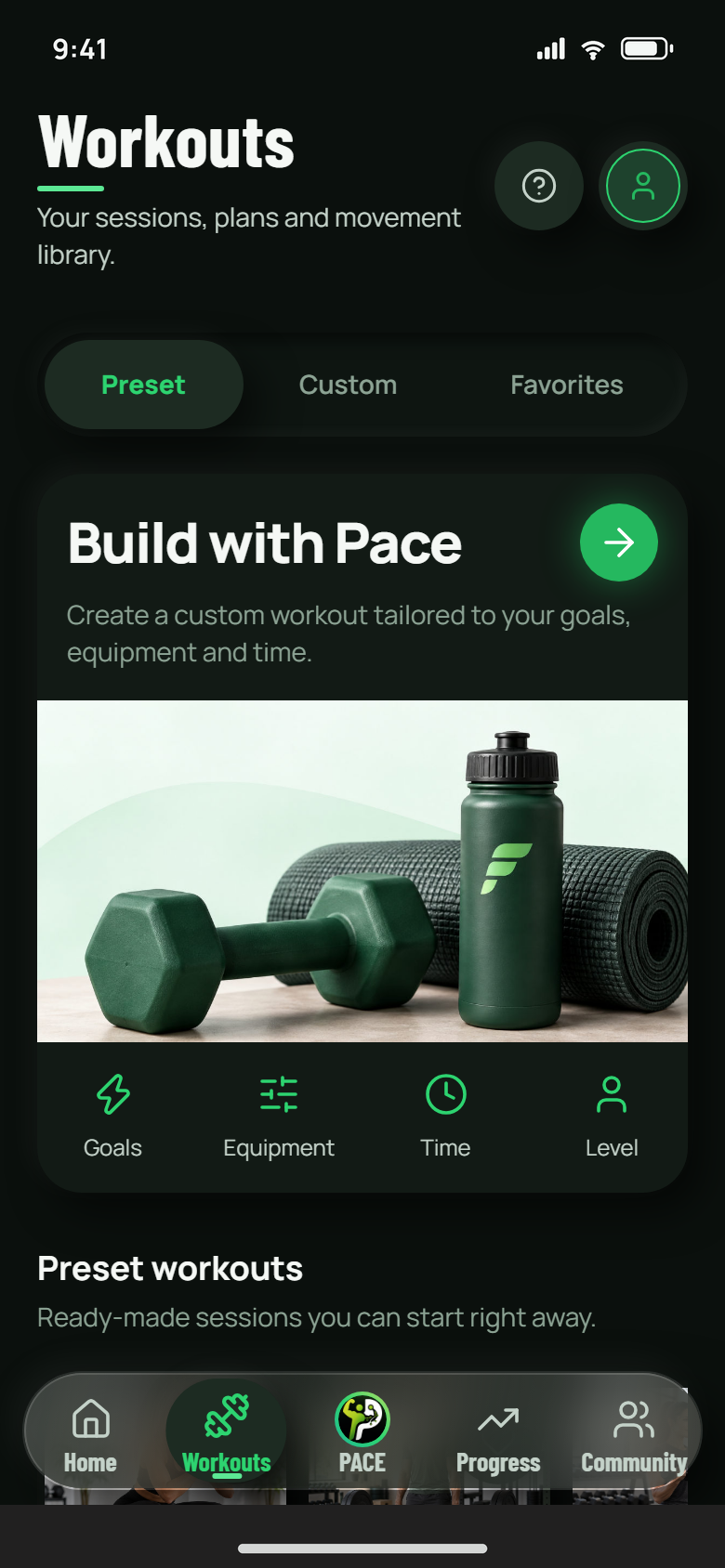
Workouts / From a plan to a session
Find your session.
Make it happen.
Explore the training presets, build a routine of your own, or return to a favorite. Keep the details together from your first set to your session notes.
One set at a time.Log reps and load, use the rest timer, and resume an unfinished workout.
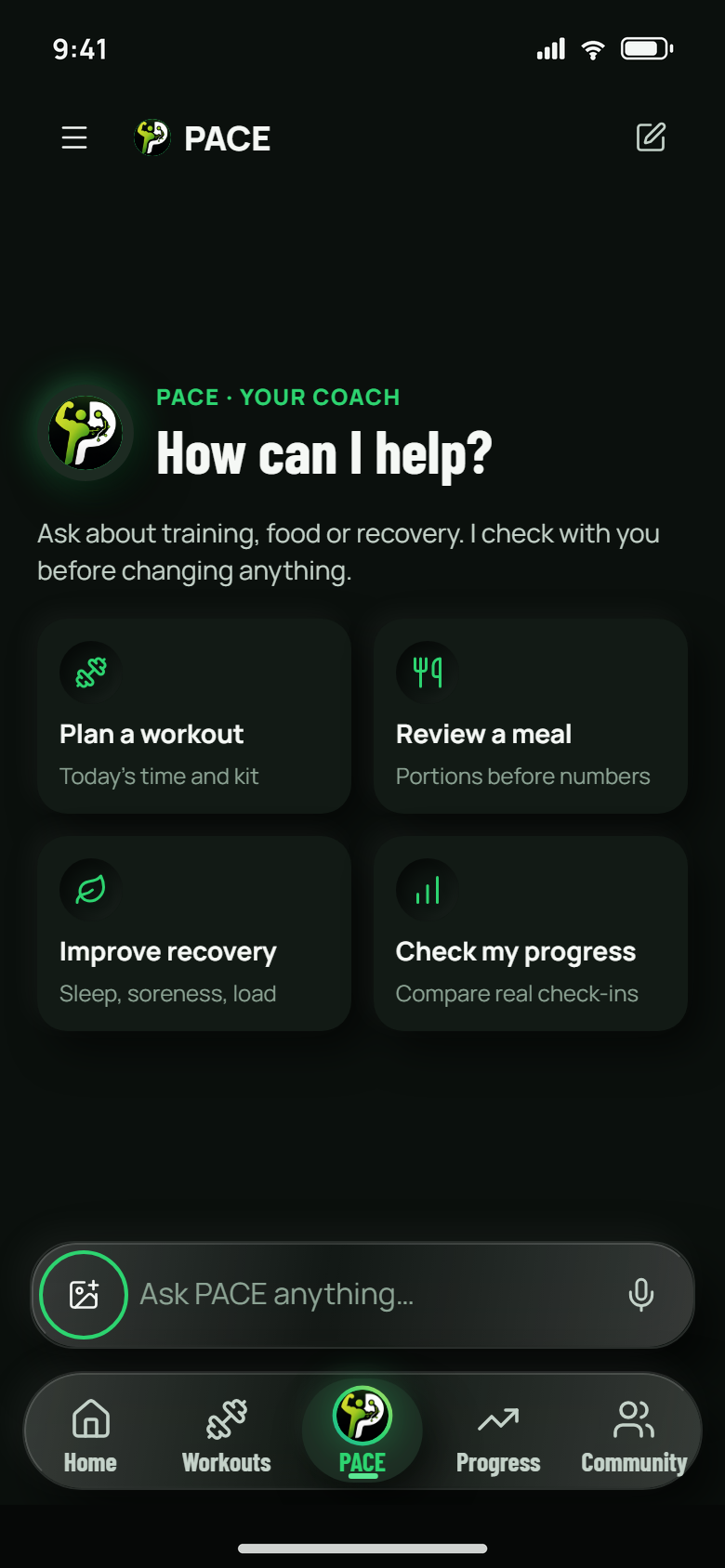
PACE / Your optional AI companion
A conversation.
A clearer next step.
Talk through workouts, food, and progress. Choose what PACE can use from your saved fitness data, and confirm sensitive changes when prompted.
You keep the final say.Choose your data permissions and confirm sensitive actions when prompted. PACE stays optional.
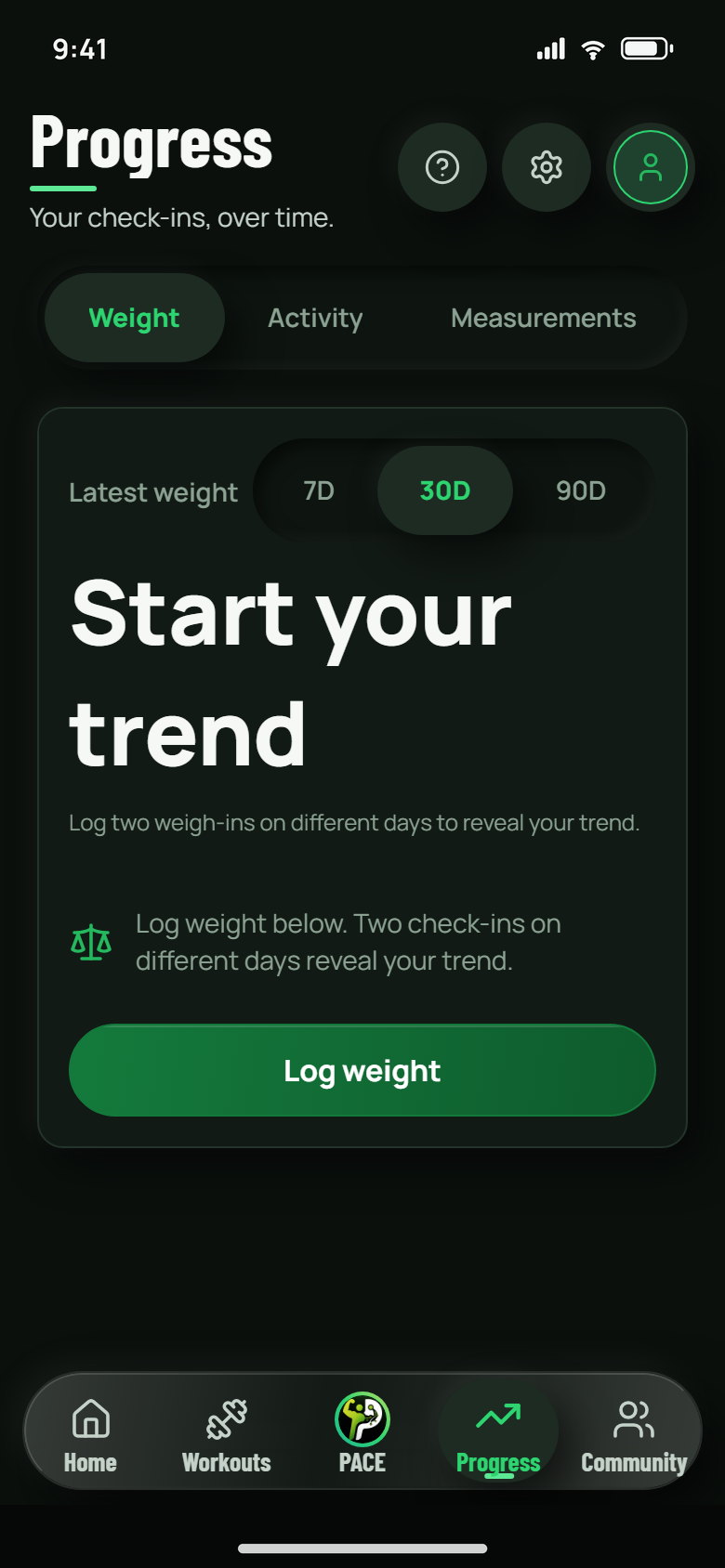
Progress / See more than a single day
Small efforts.
A fuller picture.
Look back at activity, add weight and measurements, and compare progress photos when you choose. Keep the useful context alongside the numbers.
Your records, in one place.Switch between Weight, Activity, and Measurements to follow what matters to you.
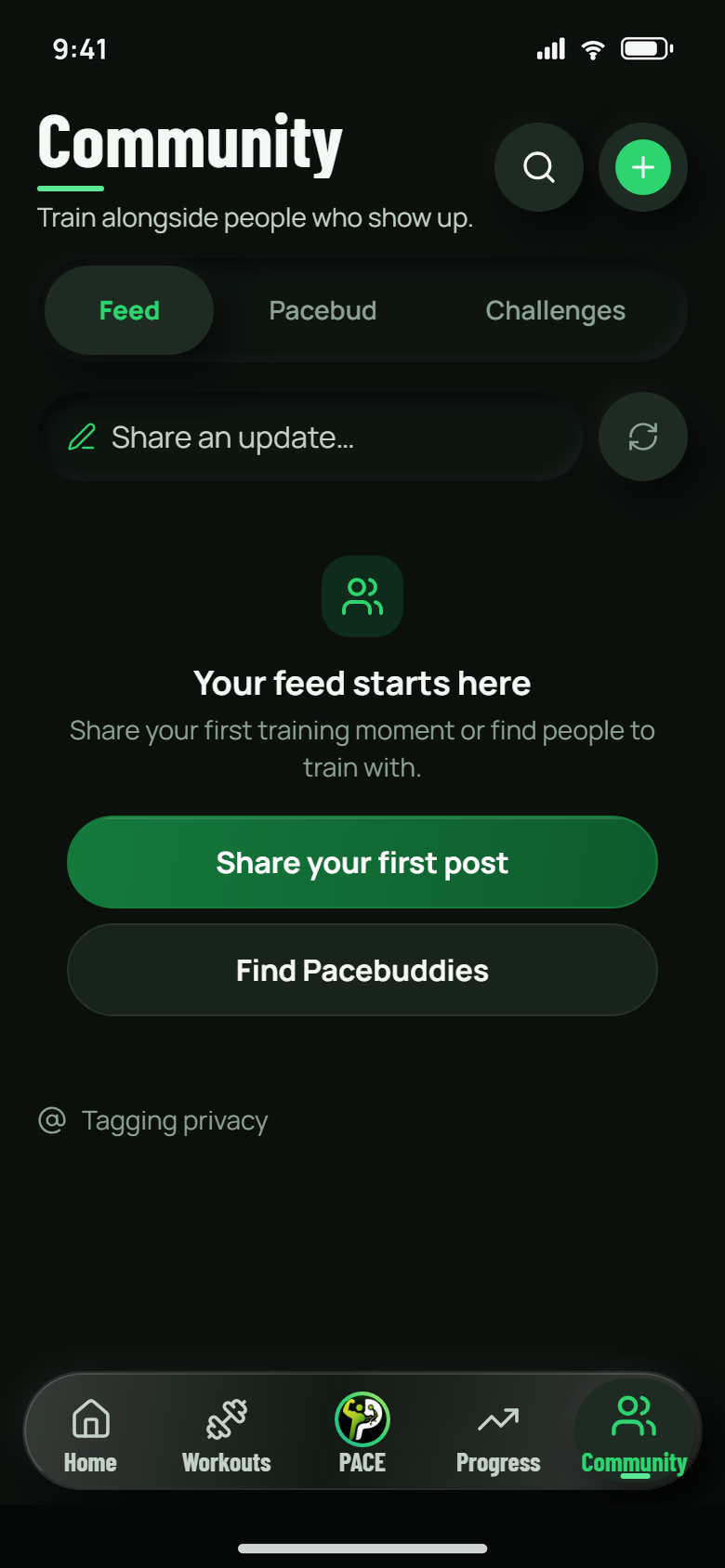
Community / Make room for your people
Show up for you.
Grow together.
Share a moment in the Feed, explore Challenges, or find someone in Friends. Choose what you share and who you connect with.
Connection with clear boundaries.Friends is for verified adults aged 18 and older. Requests and sharing stay your choice.
What feels like
a good first step?
The first visit asks five questions and gives a starting estimate before the rest of this page. Without JavaScript, the same questions are listed here.
- What do you want to do first?A training routine, the food diary, a walk or run, or your progress.
- How familiar does this feel?New, the basics, or already consistent.
- How do you want to start?A preset, a custom routine, a favorite, or the matching control for food, movement, or progress.
- What fits into your week?Choose a time budget for your selected activity.
- PACE is optional.Ask for it after these steps, or leave it off.
After the quiz
Your estimate stays with this visit.
Take the opening quiz for a starting routine and time estimate that fits your week.
Website walkthrough. These steps explain the app; they do not create a personal plan or change your account.
A routine with room for you.
Try the details. Explore a session, a sample food diary, and the records that bring it together.
Your next session.
Your way.
Choose a preset, build a custom routine, or return to a favorite. Log your reps and load set by set, use the rest timer, and pick up an unfinished session.
- Six training presets to explore
- Weekly plans and workout history
- Optional effort ratings and session notes
 Illustrative app preview
PRESET ROUTINE
Strength foundations
Sample · 30 min · 5 exercises
Food, with
a little context.
Search for food, enter it yourself, or review a photo estimate. Keep planned meals separate from what you actually ate, then log your portions.
- Daily calories and macro totals
- Search, manual entry, and photo estimates
- Review portions before logging a meal
Illustrative entries. Estimates are a starting point; your portions matter.
See what
you’re building.
Look back at your activity, log weight and measurements, and compare private progress photos when you choose. Your history tells more than a single day.
- Weight, Activity, and Measurements views
- Workout history and 28-day summaries
- Photos with your chosen visibility
in this example
Illustrative history. These are sample records, not a promised result.
Your pace.
Good company.
Community brings together Feed, Friends, and Challenges. Share a moment, find a connection, or join a challenge that gives you a reason to show up.
Friends is for verified adults aged 18+. It has its own eligibility review and community rules.
Explore Community
Morning mover
Enjoys walks and steady routines.
Demo request sent. Nothing left this page.
This profile is fictional. No real person receives a request.
-
01 / PlanChoose your session.
Start with a preset, a custom routine, or one you’ve saved.
-
02 / DoBe in the moment.
Track your sets and rest between them. Resume if life interrupts.
-
03 / ReviewTake the context with you.
Finish with notes, then find the session in your workout history.
Website previews use sample data. Read the guide for the current app experience.
Interactive previews could not start. You can still read every feature and the user guide.
Try a different rhythm.
Your 20-minute reset
A little time. A little movement. Explore an example session.
Explore the workout guideIllustrative preview. Your day, your choices.

A little guidance.
A lot of you.
Meet PACE, the Personal Adaptive Coaching Engine, your optional in-app AI assistant. Talk through training, food, and progress. Get help with supported app actions and confirm sensitive changes when prompted.
Choose whether PACE can use your saved fitness data and photos. You stay in control of what you share and which actions you approve.
Read the PACE guideFitness guidance, not medical diagnosis or treatment.
Older demo messages have been removed. This preview keeps the latest 30 messages.
Local, scripted replies. No AI request or message leaves this page. Reloading clears this demo.
Make room for the outdoors.
Your next step
can be outside.
Record a walk or run from Home in supported mobile builds. Pause when life interrupts, finish when you’re ready, and save the session to your activity history.
Routes stay private. If you choose to share reviewed stats with Community, your route and starting location are left out.
Read the movement guide
Train together.
Grow together.
The good days.
The getting-there days.
Share the journey.
A routine can feel different when someone is in your corner. Community brings Feed, Friends, and Challenges into the same space.
- FeedShare a moment and choose its audience.
- FriendsExplore connections for verified adults aged 18 and older.
- ChallengesDiscover what’s available in your Community.
A little know-how.
A stronger start.
Clear walkthroughs for the first time, the next time, and the details worth coming back to.
Where can I get Fitness Pace?
Fitness Pace is currently being tested on Android. This website introduces the app and its user guide. A public store release is not announced here.
What’s inside the app?
The five main tabs are Home, Workouts, PACE, Progress, and Community. Home brings together your day, food diary, and movement. Community contains Feed, Friends, and Challenges.
Do I have to use PACE?
No. PACE is optional. You can turn it off in the app to stop new AI processing while keeping your existing fitness records and conversations under their retention rules.
What does Pro add?
Pro has 10× the weekly PACE allowance, custom macro targets, and no ads. Free and Pro use the same supported PACE app actions. Check the app for current availability, your allowance, and any price shown before purchasing.
Who can use Community and Friends?
Fitness Pace accounts are for people aged 13 and older. Friends is a separate feature for adults aged 18 and older who complete its eligibility and ID review and accept the community rules.
How do I manage my data?
Choose what you share, manage PACE’s permissions, remove individual records, or delete your account. The Fitness Pace privacy policy explains collection, processing, and retention. The account deletion page gives the steps.
Your pace.
Your next chapter.
Currently in Android testing.
Get familiar with the app and make your first steps
feel easier.